Calizu, Inc. presents — open source · MIT · v1.0.0
The friendly command center for your containers. See every container on your machine, open it with one click, deploy from marketplaces or straight from Git — and move it all to a new machine with a single file.
Somewhere between docker ps and a wall of YAML, we accepted that running software on your own machine had to feel like piloting a submarine through a keyhole. The power is extraordinary. The experience is not.
RUNTAINER is our answer: one calm, dark, honest window onto everything your host is running. It scans your machine by itself. It shows you each container, alive, with its access link right beside it. And when you want more — a database, a cloud, a mail server, an entire dev hub — it is never more than one click away.
It is built for the person who has never touched Docker and the engineer who lives in it. One size fits user and developer.
— The Calizu, Inc. team
Most tools cover a slice of the story — a CLI for starting, a registry for pulling, a prayer for migrating. RUNTAINER treats your containers as a continuous loop you can enter at any point.
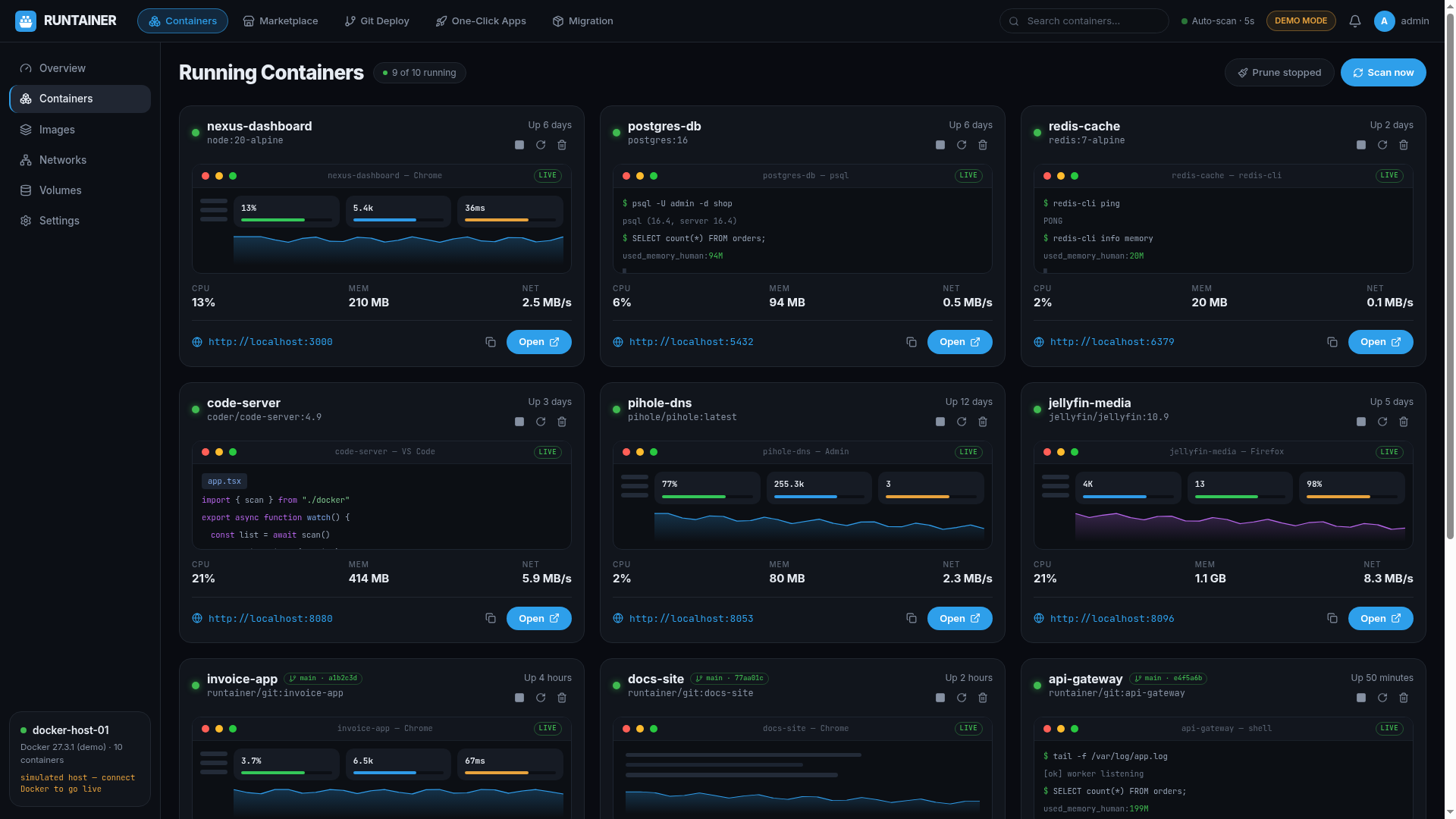
RUNTAINER watches the Docker socket and refreshes every five seconds. Every container appears as a living window — a snapshot-style preview, its uptime, its CPU, memory and network — with the access link sitting right beside it. Click, and you're inside.
Pull an app from the marketplace, boot a bare Linux base image, paste a Git repository and let it build in its own isolation, or fire a complete one-click platform. Every path ends the same way: a running container and a link to open it.
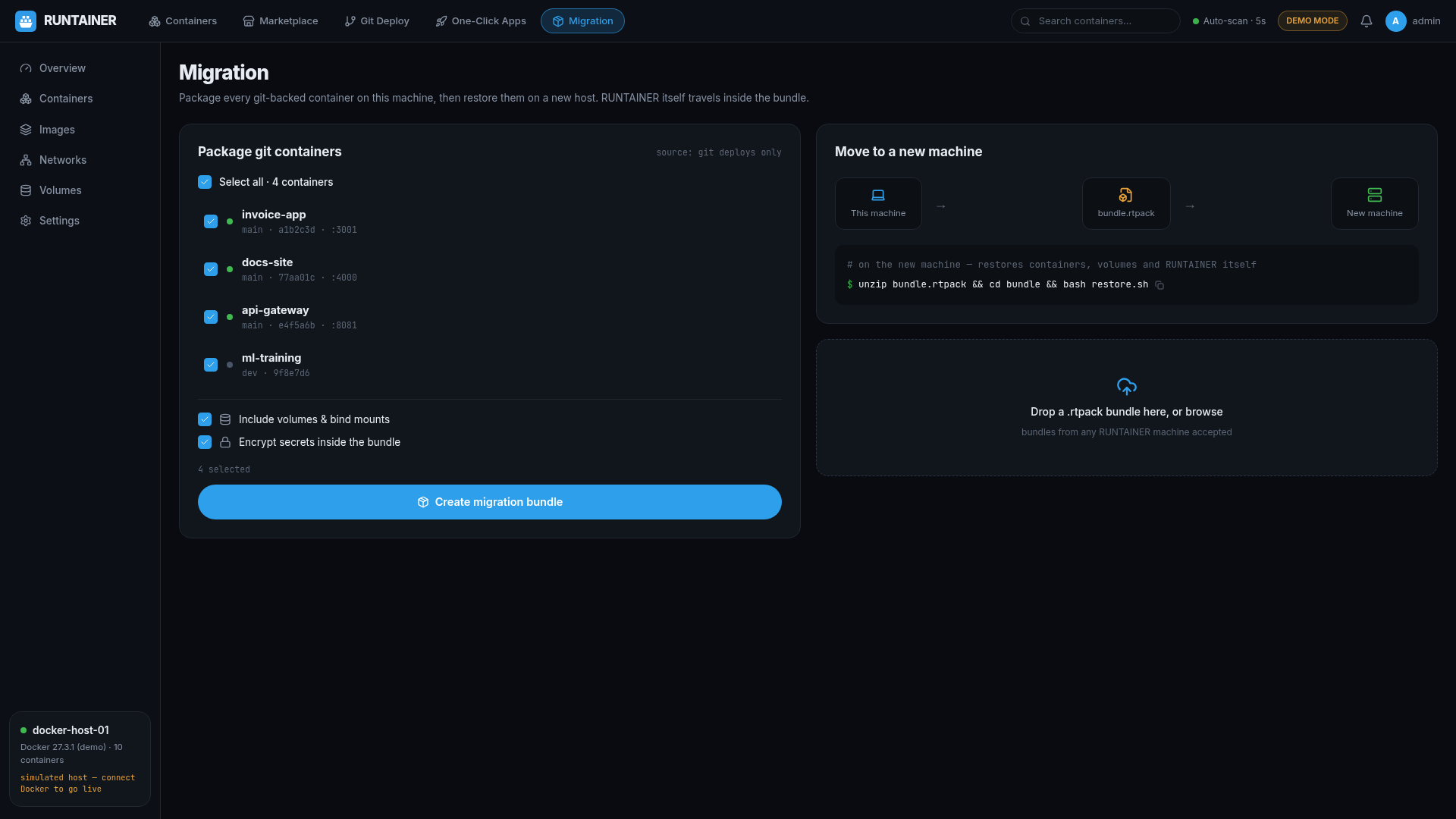
When it's time for a new machine, RUNTAINER bundles every Git-deployed container — the manifests, the configs, and RUNTAINER itself — into a single portable file with a restore script. Drop it in the home folder of the new machine, run it, and your world reassembles.
Open RUNTAINER and it has already done the rounds. Each container renders as a window with its own snapshot-style live preview — dashboards look like dashboards, terminals look like terminals — flanked by the thing that matters most: the link to open it.
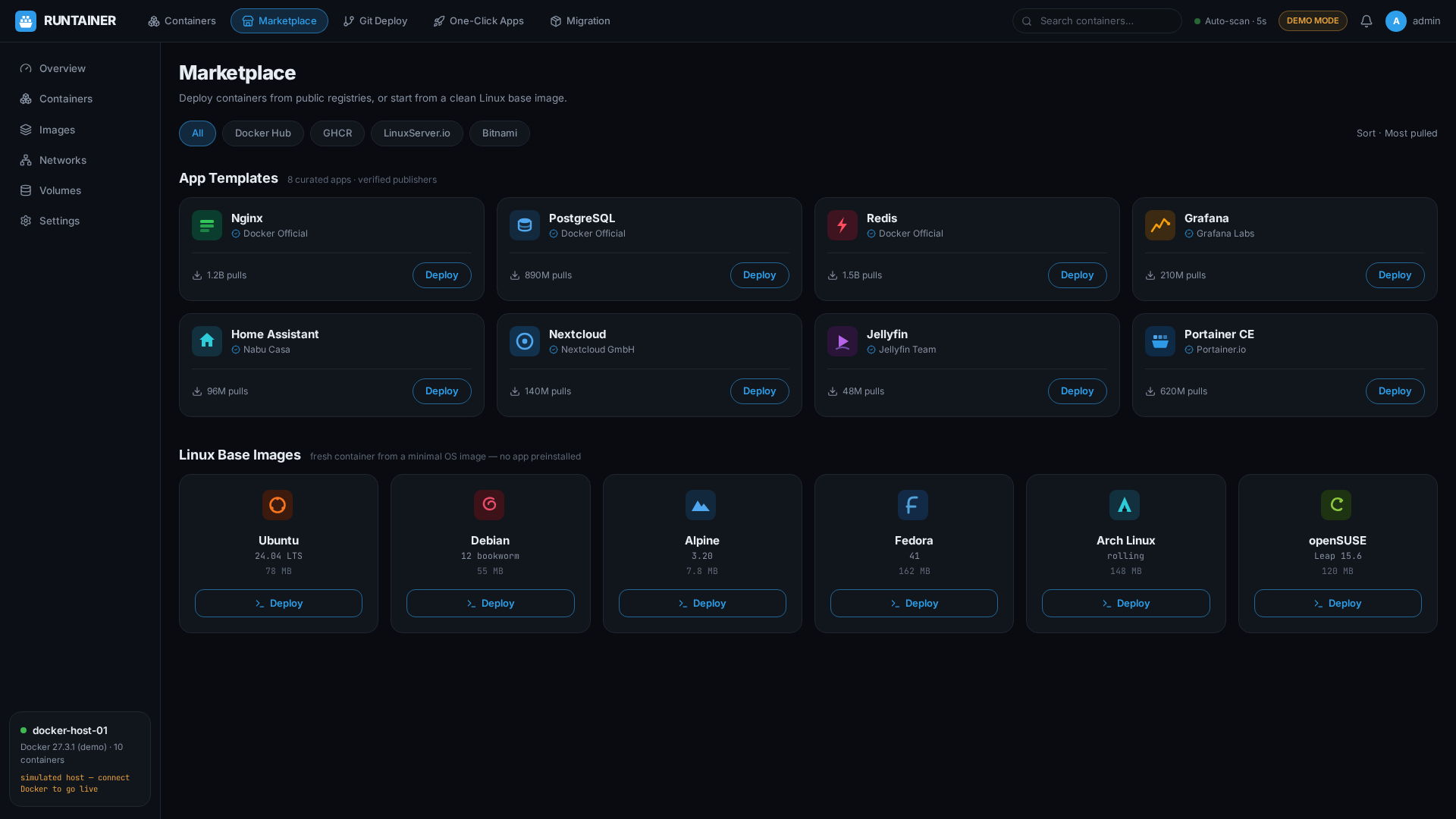
Docker Hub, GHCR, LinuxServer.io, Bitnami — the marketplaces you already trust, presented as shelves instead of search boxes. Pick a template, fine-tune the ports, CPU, memory and restart policy in a friendly dialog, and deploy.
Or start from nothing: Ubuntu, Debian, Alpine, Fedora, Arch or openSUSE base images, one click each, ready to become whatever you need next.
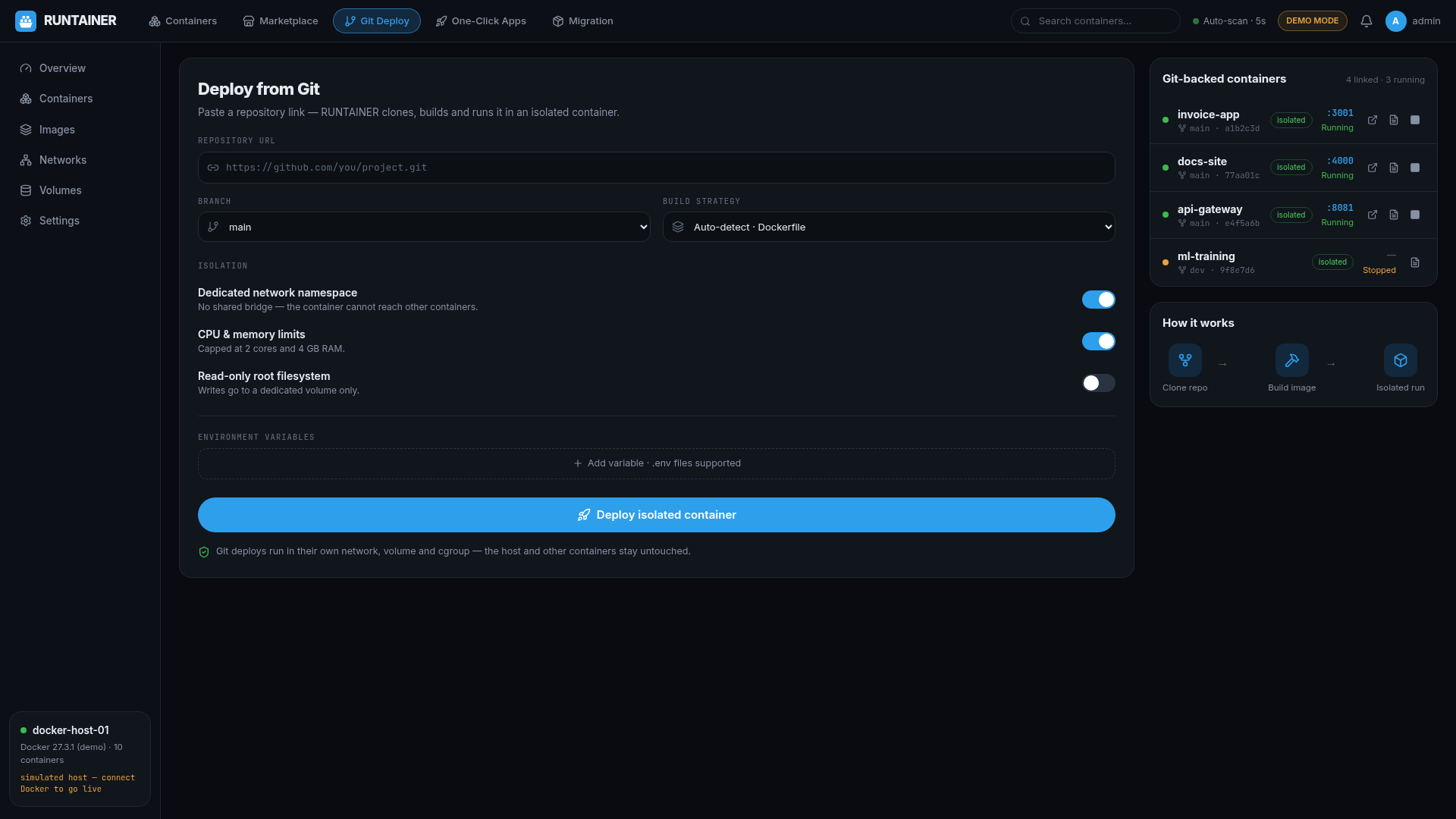
This is the one developers feel in their chest. Drop any Git URL into RUNTAINER and it clones, builds and launches the project as a standard Docker container — on its own isolated bridge network, with its own labels, its own blast radius.
git-net-* network per project
Moving machines used to mean a weekend. RUNTAINER packs every Git-deployed container on the host into a single bundle — manifests, environment, a generated restore script — and always includes RUNTAINER itself, so the new machine boots straight back into the same command center.
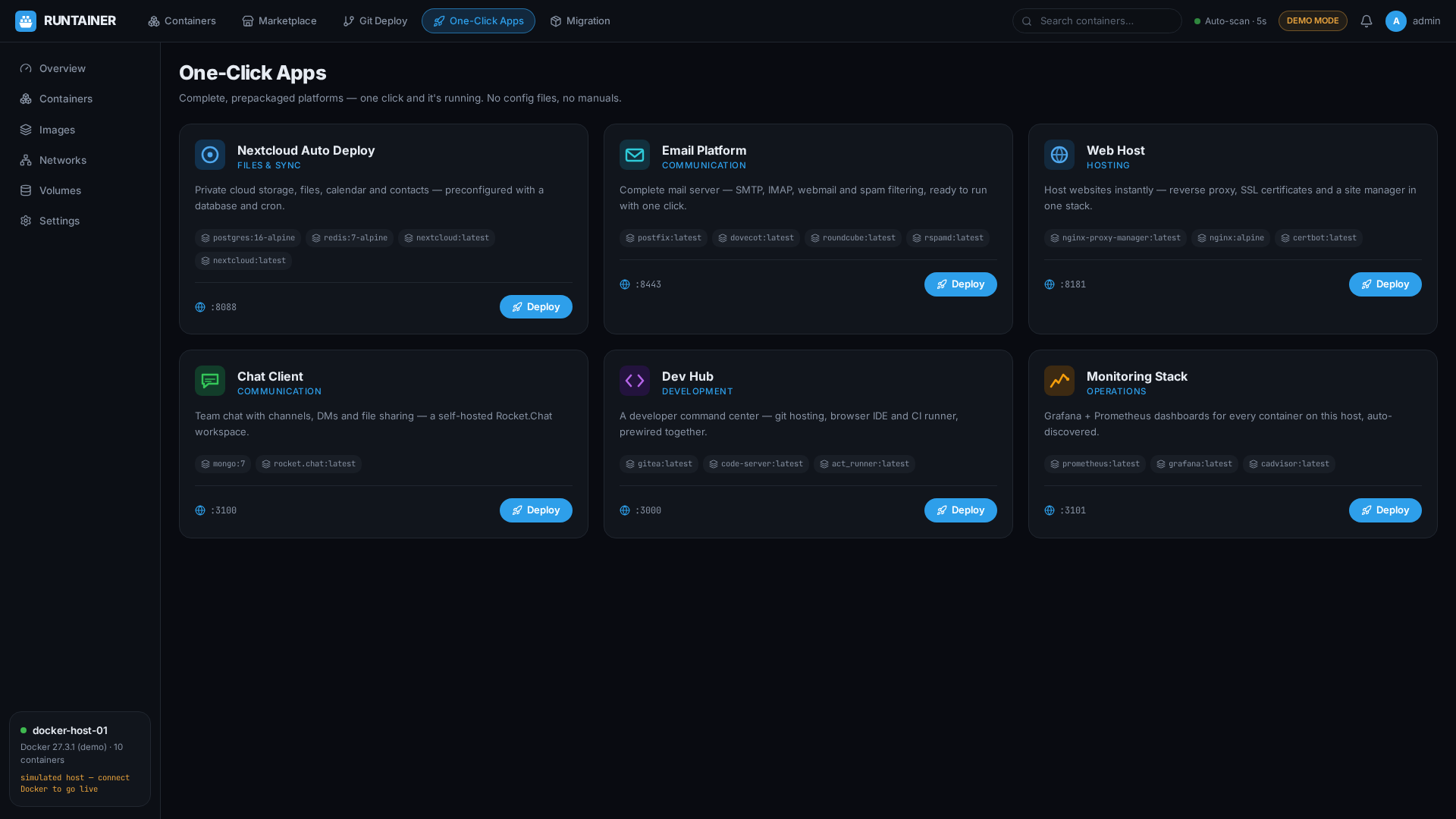
Not thin wrappers — complete, prepackaged stacks. Each one pulls its images, wires its networks, and hands you a link to a finished platform.
Your own cloud — files, calendar, contacts, office — deployed as a complete stack and opened from one link.
A real email server with the complete software included. One click and your domain has a post office.
A ready web hosting client — sites up, served, and reachable before your coffee cools.
A private chat home for your team, family or community — self-hosted by default.
A development cockpit in a container — editor, tooling and runtime, nowhere near your host system.
Dashboards and metrics for everything else on this page — watch it all from one pane.
Jellyfin for movie night, Home Assistant for the lights, Pi-hole for the ads, Nextcloud for the family photos. Each appears on the RUNTAINER screen with its little window and its link — and when the laptop dies, the migration bundle rebuilds the household on the replacement before anyone notices.
Push to Git, paste the URL, watch the build log stream to its final line: access link ready. Twelve experiments can live side by side, each in its own isolation, each one click from a demo you can send to a friend.
New engineer? Hand them the migration bundle. The restore script installs Docker if needed, lays RUNTAINER into their home folder, and rebuilds every service the team depends on. The dev hub is running before the HR paperwork is.
Demo mode lets a classroom explore container concepts on machines without Docker at all. Then one bundle provisions every workstation with the same containers, the same ports, the same starting line.
Build the client's stack — site, mail, monitoring — as RUNTAINER containers. At handover, export the bundle. Whatever machine it lands on, RUNTAINER arrives with it, so the client inherits the same calm control panel you used.
The architecture is deliberately simple — a React window, a small bridge to the Docker socket — so the community can take it anywhere: richer marketplace catalogs, container templates shared as links, fleet views across many machines. Forks aren't just welcome; they're the point.
Then open http://localhost:3000 — your containers are already there.